Build the week
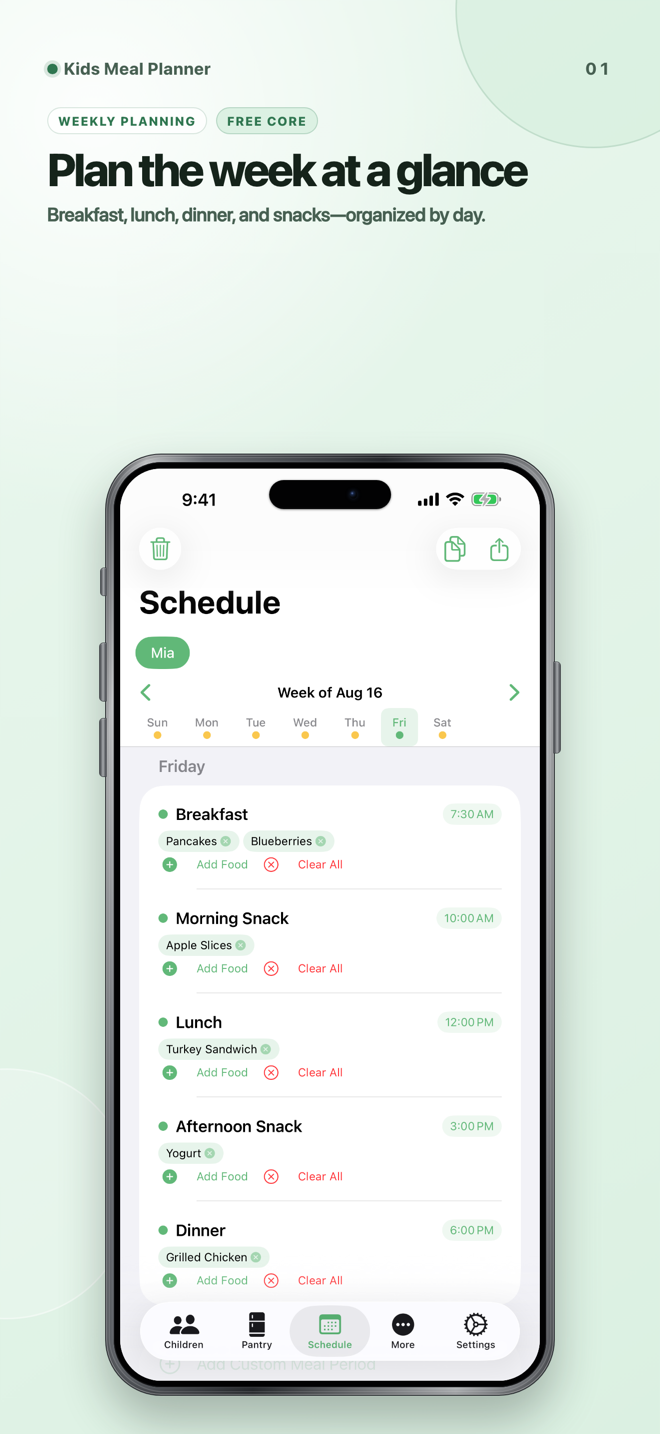
Organize breakfast, lunch, dinner, and snacks by day. Reuse familiar foods and adjust the plan when the week changes.
Baby & toddler meals + lists
Plan the week. Shop with a clear list.
Keep weekly meals, pantry items, and groceries together so parents and caregivers can work from the same plan—without creating a Tyche account.
A practical weekly workflow
Start with the schedule, turn planned foods into a shopping list, and keep track of what is available at home.
Organize breakfast, lunch, dinner, and snacks by day. Reuse familiar foods and adjust the plan when the week changes.
Bring scheduled foods and out-of-stock pantry items into the shopping list, then check off purchases while you shop.
Premium can export a PDF through the iOS share sheet. Review its contents and recipient before sending family details outside the app.
Real app screens
On wider screens the gallery uses matching iPad images; on phones it uses the framed iPhone set. Auto-scroll runs only while the gallery is visible.


22-second app preview
The current preview follows the real app through scheduling, pantry status, shopping, templates, and profile context.
It plays automatically without sound while visible. Use the controls for the upbeat soundtrack. Reduced-motion and Save-Data preferences are respected.
Simple starting point
StoreKit shows current prices, renewal terms, and any introductory offer for which your Apple Account is eligible before purchase.
For a one-child weekly workflow.
Monthly and yearly subscriptions are available through Apple.
Privacy and safety
Kids Meal Planner organizes information. It does not make food-safety or nutrition decisions for you.
Profiles, meal plans, pantry items, and shopping-list content are stored in the app. Apple-managed backups and files you export can create additional copies.
A scanned code and standard network metadata go to Open Food Facts. It may retain IP and request logs under its policies, and returned product data may be incomplete or inaccurate.
Apple processes subscriptions. Optional Amazon affiliate links open outside the app. PDFs leave the app only when you choose to save or share them.
Planning notes, templates, and barcode results are not verified for allergens, nutrition, or food safety. Read the privacy policy.
Start with one child profile, weekly scheduling, pantry tools, shopping lists, and barcode lookup.
View Kids Meal Planner on the App Store